
 Game Room
How to Host Trivia Night With Just a TV and Smartphones
Learn how to host trivia night with just a TV and smartphones. Discover easy setup tips, digital scoring, and interactive games for bars and restaurants.
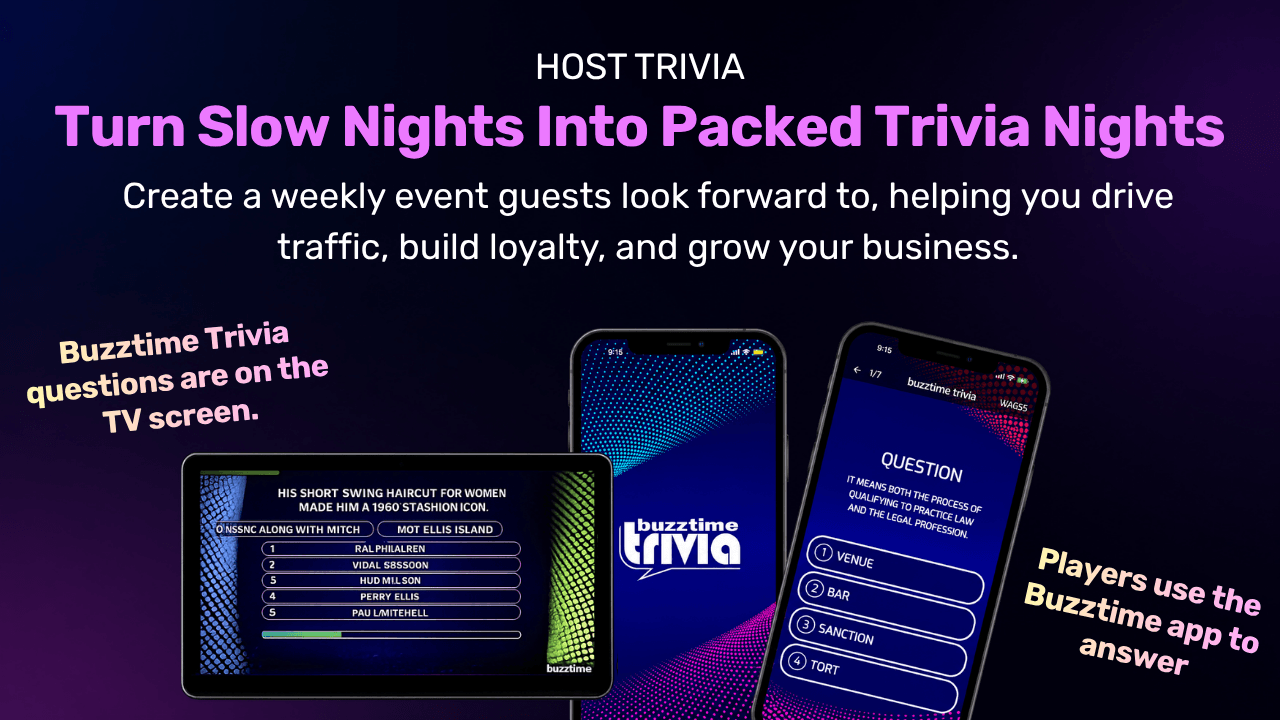
Hosting a trivia night at your bar or restaurant doesn’t have to involve stacks of paper answer sheets, expensive buzzers, or complicated equipment.
With today’s digital trivia technology, you can turn an existing TV into an interactive game screen while customers use their smartphones to participate.
It’s a simple way to bring people together, encourage friendly competition, and create an entertaining experience without investing in dedicated gaming hardware.
1. Why Choose Smartphone Trivia?
Traditional trivia nights often require printed questions, paper answer sheets, pens, and someone to collect and score responses.
While this approach can work, digital trivia offers a more streamlined alternative. With smartphone trivia, customers answer questions directly on their devices while a shared TV displays the game.
This creates an interactive experience that is easier to follow and can reduce the work involved in managing a trivia event.
For bar and restaurant owners, the benefits include:
- Less equipment: No dedicated buzzers or paper answer sheets required.
- Automatic scoring: Digital trivia software can calculate scores and update rankings.
- Easy participation: Customers use familiar devices they already own.
- Live leaderboards: Players can see how they compare with others.
- Flexible gameplay: Host a dedicated trivia night or offer scheduled games.
- Space-saving setup: Customers can participate directly from their tables.
Instead of focusing on collecting answers and calculating points, your staff can spend more time creating an enjoyable experience for guests.
2. What Do You Need to Host Trivia Night?
One of the biggest advantages of digital trivia is its relatively simple setup.
You don’t need to install arcade machines or purchase a dedicated collection of gaming devices.
For a basic smartphone trivia setup, you’ll need:
| Equipment | Purpose |
|---|---|
| Smart TV or regular TV | Displays trivia questions and leaderboards |
| Laptop or compatible Smart TV browser | Runs the trivia platform |
| Internet connection | Connects the game and participating players |
| Customers’ smartphones | Allows players to submit answers |
| Digital trivia software | Manages questions, scoring, and gameplay |
If you’re using a regular TV without a compatible browser, you can connect a laptop using an HDMI cable.
A microphone may also be useful for larger venues hosting live trivia, but it isn’t necessary for every event. The goal is to create a setup that’s easy for both your staff and customers to use.
3. Choose the Right Digital Trivia Platform
Not all trivia platforms offer the same features.
Some are designed for one-time hosted events, while others provide scheduled trivia games that customers can join throughout the week.
When choosing trivia software for your bar, consider:
- Whether customers can join using smartphones
- How questions are displayed on TVs
- Whether scoring happens automatically
- If the platform includes ready-to-play trivia questions
- Whether you need a live host
- How easy it is to manage games
- Whether the platform requires dedicated hardware
For venues looking for a flexible solution, Buzztime offers both Network Trivia and Live Trivia, along with other interactive entertainment options.
With Buzztime, bars and restaurants can access compatible games using a Smart TV browser or laptop without requiring a dedicated Buzztime hardware box.
4. Connect Your Trivia Game to the TV
Once you’ve selected your platform, the next step is displaying the game on your venue’s TV.
There are two common approaches.
Option 1: Use a Compatible Smart TV Browser
If your Smart TV has a compatible web browser, you may be able to open the trivia platform directly on the television.
This can eliminate the need to connect a separate laptop.
Before the event, test the browser to make sure the game displays correctly and the controls work as expected.
Option 2: Connect a Laptop to Your TV
If your TV doesn’t support the required browser, connect a laptop using an HDMI cable.
Open the trivia platform on your laptop and display the game on the TV.
This approach can work with many existing televisions and gives the host access to the game controls.
Whichever setup you choose, test the display, internet connection, and sound before customers arrive.
5. Let Customers Join Using Their Smartphones
Once the game is displayed, it’s time to invite customers to participate.
Many digital trivia platforms allow players to join through a website, QR code, or game room code.
With Buzztime, customers can use their smartphones to access supported games.
For Buzztime Live Trivia, players can join a game room using the room code provided by the host. Depending on the game mode, players may be able to sign in with their Buzztime account or participate as guests.
To make joining easier, display clear instructions on your TV or provide a small table sign explaining how to participate.
Encourage your staff to help first-time players get started. A simple joining process can make a big difference in whether customers decide to play.
6. Choose Trivia Questions That Appeal to Your Audience
The questions you choose can influence how much customers enjoy the game.
If every question is extremely difficult, casual players may lose interest. If everything is too easy, experienced players may feel unchallenged.
A balanced mix of categories helps create a more inclusive experience.
Popular trivia categories include:
- General knowledge
- Sports
- Movies and television
- Music
- History
- Geography
- Food and drinks
- Pop culture
For example, a neighborhood pub might focus on general knowledge, while a sports bar could include more sports-related questions.
Buzztime provides professionally written trivia content across different subjects, helping venues offer variety without preparing every question manually.
7. Decide Between Hosted and Automated Trivia
One important decision is whether you want a dedicated trivia event or entertainment that runs without a live host.
Both approaches can work, depending on your venue.
Hosted Live Trivia
Hosted trivia is ideal when you want to create a scheduled event.
A host welcomes players, introduces rounds, keeps the game moving, and interacts with customers.
Buzztime Live Trivia supports host-led games with digital scoring and live leaderboards.
This format can work well for weekly trivia nights, team competitions, and special events.
Automated Network Trivia
Automated trivia allows customers to participate without requiring a staff member to present every question.
Buzztime Network Trivia provides scheduled trivia games that can become part of your venue’s regular entertainment.
This is useful for bars that want to offer interactive entertainment beyond one weekly event.
You can also combine both approaches: use Live Trivia for your main weekly event and Network Trivia for additional entertainment throughout the week.
8. Make Trivia Night More Exciting With Live Leaderboards
One of the most engaging features of digital trivia is the ability to display scores and rankings automatically.
Instead of waiting for someone to calculate results, players can follow the competition as the game progresses.
A live leaderboard creates excitement when teams or individual players move up and down the rankings.
For example, a group in second place might answer the final question correctly and move into first.
These moments can encourage friendly rivalries and make the event more memorable.
With Buzztime Live Trivia, venues can also explore BLT Seasons, which allows signed-in players to accumulate scores across multiple games at the same venue.
This creates an ongoing competition where players can return and work toward the top of their venue’s season leaderboard.
9. Promote Your Trivia Night Before the Event
Even with a simple digital setup, your trivia night needs promotion.
Start advertising the event several days in advance so customers have time to invite friends and make plans.
Promote your trivia night through:
- Social media posts and stories
- Your restaurant’s website
- In-venue TV screens
- Printed table signs
- Email newsletters
- Local community groups
- Event listing websites
Make sure your promotions clearly explain the date, time, location, and how customers can participate.
You can also highlight that players only need their smartphones, making the event feel approachable for beginners.
For example:
Think You’ve Got What It Takes?
Grab your friends, bring your phone, and join us for Trivia Night! No pens, no paper, just great questions and friendly competition.
10. Pair Trivia Night With Food and Drink Specials
Trivia night can create opportunities to promote your food and beverage menu.
Instead of relying on large discounts, consider offering event-specific combinations that complement the experience.
Ideas include:
- Team appetizer platters
- Pizza and snack combinations
- Trivia night dinner specials
- Shareable desserts
- Nonalcoholic drink specials
These offerings can encourage customers to enjoy a complete evening at your venue.
You can also introduce weekly prizes such as gift cards, branded merchandise, or food vouchers to make the competition more exciting.
Keep prizes and promotions within your budget and check any applicable local rules.
Host Your Own Trivia Night
Request a demo today and discover how you can bring interactive trivia, Bingo, poker, and other games to your bar or restaurant using the devices you already have.